> For the complete documentation index, see [llms.txt](https://docs.savewallet.io/llms.txt). Markdown versions of documentation pages are available by appending `.md` to page URLs; this page is available as [Markdown](https://docs.savewallet.io/readme.md).

# Introduction

**SaveWallet** is the official wallet developed by **Tronsave**, built for fast, secure, and low‑cost asset management on the **TRON** network.

It is **self‑custodial**: your recovery phrase and private keys are generated and stored **only on your device**. There are no accounts, no sign‑ups, and no one — not even SaveWallet — can access or move your funds.

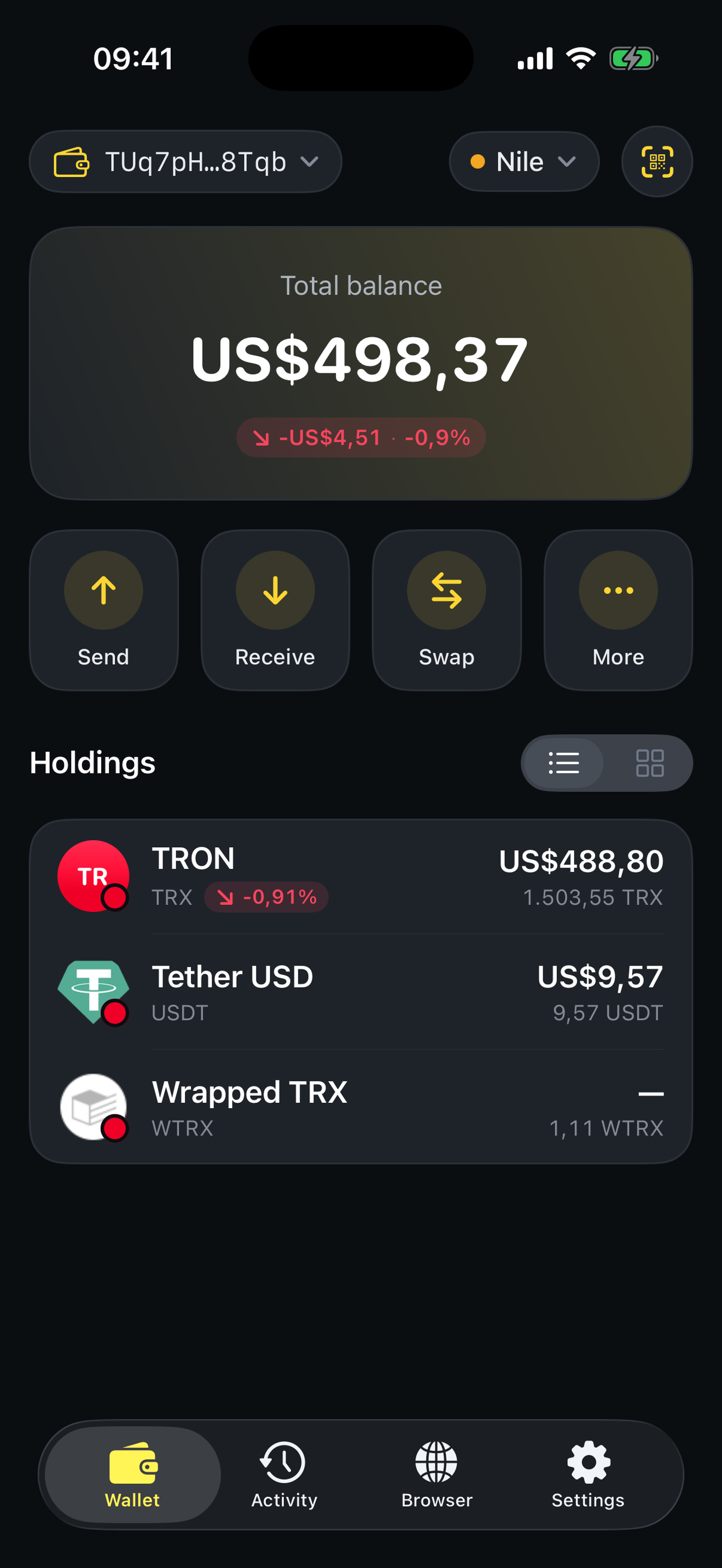
<figure><img src="/files/IL4CtXtzOqUopOMk1wAN" alt="SaveWallet home screen" width="280"><figcaption><p>Your portfolio, transfers, and dApps — all in one place</p></figcaption></figure>

### What you can do

* Hold and manage **TRX**, **USDT (TRC‑20)**, and any **TRC‑20 / TRC‑10** token
* **Send and receive** in seconds with QR codes and an address book
* **Save up to \~80% on network fees** with automatic Energy optimization
* **Swap** tokens, and explore TRON **dApps** through the built‑in browser
* Trade **resources** (Energy & Bandwidth) to make every transaction cheaper

## Why SaveWallet?

{% hint style="success" %}
**Smart Fee Saving — the headline feature.** When you send USDT or another TRC‑20 token, SaveWallet checks the live Energy price on the **Tronsave** marketplace and automatically rents Energy instead of burning TRX. The result: **much lower fees**, with nothing extra for you to do.
{% endhint %}

* 🔒 **Security first** — encrypted on‑device storage, passcode, and Face ID / Touch ID.
* 🪙 **All‑in‑one** — TRX, USDT, TRC‑20 tokens, staking, and resources in one app.
* ⚡ **Cheapest transfers** — automatic Energy purchasing keeps fees as low as possible.
* 📊 **Transparent** — real‑time balances and a complete transaction history.
* 🌍 **Multi‑platform** — a native mobile app **and** a Telegram WebApp.
* 🛠 **Simple, yet powerful** — easy for beginners, complete for advanced users.

## Choose your version

SaveWallet comes in two flavors. They share the same keys model and the same Tronsave fee‑saving engine — pick whichever fits how you work.

<table data-card-size="large" data-view="cards"><thead><tr><th></th><th></th><th data-type="content-ref"></th></tr></thead><tbody><tr><td><strong>📱 SaveWallet App</strong></td><td>Native apps for <strong>iOS</strong> and <strong>Android</strong>. Full wallet management, transfers, swap, staking, resources, a dApp browser, and WalletConnect.</td><td><a href="/pages/9dQ8nIaxkZHYtCkfdL53">/pages/9dQ8nIaxkZHYtCkfdL53</a></td></tr><tr><td><strong>💬 SaveWallet Telegram WebApp</strong></td><td>A lightweight wallet that runs right inside <strong>Telegram</strong> — create or import a wallet, send, receive, and connect to dApps. No installation needed.</td><td><a href="/pages/gSnrLeVyFycNetZcj9n0">/pages/gSnrLeVyFycNetZcj9n0</a></td></tr></tbody></table>

### Where to get it

| Platform     | How to get it                                                                          |
| ------------ | -------------------------------------------------------------------------------------- |
| **iOS**      | Download **SaveWallet** from the **App Store**                                         |
| **Android**  | Download **SaveWallet** from **Google Play**                                           |
| **Telegram** | Open the official bot: [@savewalletofficial\_bot](https://t.me/savewalletofficial_bot) |

{% hint style="info" %}
**New here?** Start with [How to create a wallet](/mobile-app/wallet-management/how-to-create-a-wallet.md), then learn [how to receive](/mobile-app/transfer-tutorial/how-to-receive-my-assets.md) and [send](/mobile-app/transfer-tutorial/how-to-transfer-assets-to-the-wallet.md) your first assets.
{% endhint %}


---

# Agent Instructions
This documentation is published with GitBook. GitBook is the documentation platform designed so that both humans and AI agents can read, navigate, and reason over technical content effectively. Learn more at gitbook.com.

## Querying This Documentation
If you need additional information that is not directly available in this page, you can query the documentation dynamically by asking a question.

Perform an HTTP GET request on the current page URL with the `ask` query parameter:

```
GET https://docs.savewallet.io/readme.md?ask=<question>
```

The question should be specific, self-contained, and written in natural language.
The response will contain a direct answer to the question and relevant excerpts and sources from the documentation.

Use this mechanism when the answer is not explicitly present in the current page, you need clarification or additional context, or you want to retrieve related documentation sections.
